Investigation of User Creation and Privilege Escalation on Linux
Objective
To discover and report or alert on threats related to user creation and privilege assignment performed on Linux.
Let’s start by defining the cases we’re dealing with:
| Event type | Alert |
|---|---|
| Standard user creation | Report |
| Standard user creation at unusual time (e.g., overnight) | Alert (low severity) |
| Privilege escalation (admin rights assigned) | Alert (medium severity) |
| Privilege escalation at unusual time (e.g., overnight) | Alert (high severity) |
Preparing
To perform the investigation, we first need to install the auditd service on the agents. This step is required to enable file integrity monitoring with the whodata option, which provides more detailed change logs and real-time forensic FIM data in Wazuh.
If auditd is already installed on the agents, add the following lines to the centralized configuration file on the Wazuh manager:
sudo vi /var/ossec/etc/shared/default/agent.conf
<agent_config os="Linux">
  <syscheck>
    <directories whodata="yes" report_changes="yes">/etc/group</directories>
    <directories whodata="yes" report_changes="yes">/etc/passwd</directories>
    <directories whodata="yes" report_changes="yes">/etc/sudoers</directories>
  </syscheck>
</agent_config>
Rules
The rule definitions below implement the logic described in the table above.
<group name="local,linux">

  <rule id="100200" level="12">
    <if_sid>550</if_sid>
    <field name="file">/etc/group</field>
    <field name="changed\_content">sudo|wheel</field>
    <description>OL: sudo privilege escalation on Linux</description>
  </rule>

  <rule id="100201" level="13">
    <if_sid>100200</if_sid>

    <!-- NON WORKING HOURS -->
    <time>5 pm - 7 am</time>

    <description>OL: sudo privilege escalation on Linux (out of working hours)</description>
  </rule>

  <rule id="100202" level="10">
    <if_sid>5902</if_sid>

    <!-- NON WORKING HOURS -->
    <time>5 pm - 7 am</time>

    <description>OL: New Linux user added to the system (out of working hours)</description>
  </rule>

</group>
Note: To apply this, edit your custom rule definitions here:
/var/ossec/etc/rules
As you can see, the first rule relies on rule 550. If the modified file is /etc/group, and the change contains the words sudo or wheel, the rule will trigger. The reason for this is that, in Unix systems, this file defines group membership, and adding a user to the sudo group indicates a privilege escalation.
The second rule (ID: 100201) continues the alert chain if the privilege escalation occurs during non-working hours. This is implemented using the time option in the rule. It builds on the previous rule, which detects privilege escalation at any time.
The same logic is applied in the third custom rule, which relies on a built-in Wazuh rule. This built-in rule is 5902: “New user added to the system”, which handles user creation events by default.
Visualize
Using rule IDs or rule descriptions as filters, you can create simple visualizations to display the count of specific events.
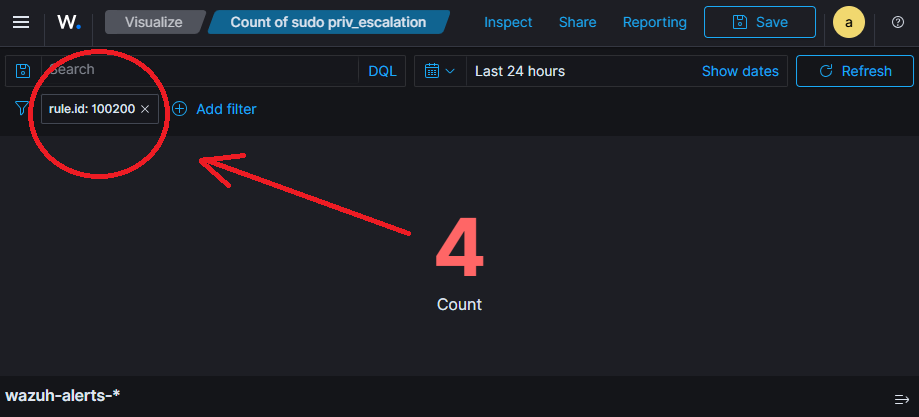
In the Wazuh dashboard, filters are combined using the AND operator, so when creating a common dashboard, you can apply additional filters such as agent or tenant, for example:
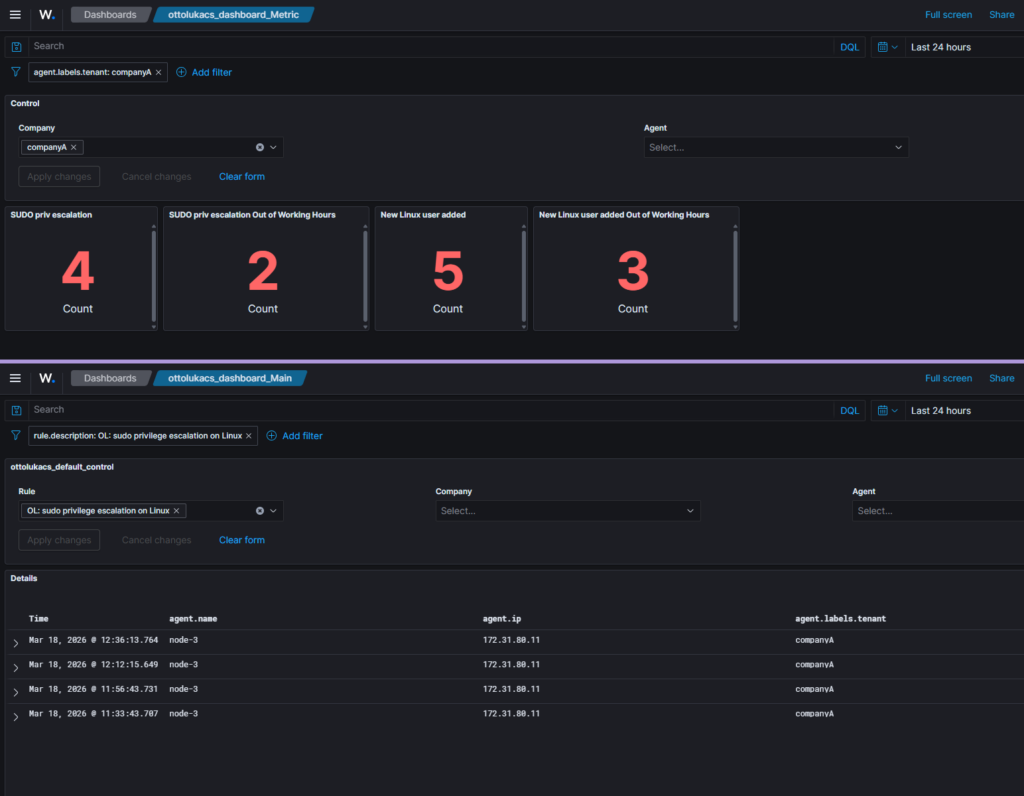
Similarly, by adding the rule description to the control panel, you can select which rule logs you want to investigate. All events related to the selected rule can then be displayed in a discovery view on the dashboard.